



oldman20
-
Posts
99 -
Joined
-
Last visited
Posts posted by oldman20
-
-
Hi, im stuck at this stage, whats wrong, please?! Thanks
Im on Catalina, normal booting wih clover
this is my specs:
Mother board: Broadwell-MB IMC 0RN98T CPU: i3-5005U GPU: HD5500 Wireless and Bluetooth: AR9002WB-1NG (I replaced the in-built one) Audio Card: ALC255 [ALC256? (branded as ALC3234)] ALC3234 is equivalent to ALC255 Ethernet: Realtek RTL8139/810x Fast Ethernet Adapter (RTL8111?) Touchpad: Synaptics
Dell Inspiron 15 3543 (Option UEFI enable) - Intel Core i3 (5th Gen) 5005U / 2 GHz - 8GB RAM - Intel HD Graphics 5500 - 1366x768 - ALC255 [ALC256? (branded as ALC3234] - AR9002WB-1NG wifi combo card [AR9285 + AR3011 (bluetooth)] Replaced - RTL8139/810x/Synaptics-SSD (GPT) - Clover bootloader || =======================
-
[ref]oldman20[/ref], https://github.com/headkaze/OS-X-Atheros-3k-Firmware/releases
seem to old, i mean how to build from github, sir?
chuctran@Trans-MacBook-Pro ~ % git clone https://github.com/headkaze/OS-X-Atheros-3k-Firmware.git
Cloning into 'OS-X-Atheros-3k-Firmware'...
remote: Enumerating objects: 280, done.
remote: Total 280 (delta 0), reused 0 (delta 0), pack-reused 280
Receiving objects: 100% (280/280), 320.66 KiB | 416.00 KiB/s, done.
Resolving deltas: 100% (133/133), done.
chuctran@Trans-MacBook-Pro ~ % makefile
zsh: command not found: makefile
chuctran@Trans-MacBook-Pro ~ %
-
[ref]oldman20[/ref], check
thanks so much, sir!
but how to build kext from here for my specs?
-
hi @MaLd0n, it's me again, sir!
AR9002WB-1NG wifi combo card [AR9285 + AR3011 (bluetooth)]
In my case, wifi is working stable, but bluetooth almost failed, sometime working, and this is error, how can i solve it, make bluetooth working normaly? thanks
-
Did you try same as 10.13?
Name: com.apple.iokit.IOGraphicsFamily
Find: 01 00 00 75 22
Repl: 01 00 00 EB 22
i try it in 10.15.1 but not working bro, any solution yet?
-
@onemanosx
AFAIK, GUI theme is not of Devs concern right now and no discussion about this feature at the moment.
[ref]oldman20[/ref], from what i read on the insanelymac forum they will not be doing an GUI themes it will be left to a 3rcd party to deal with it an there is no need for themes
ok, thanks your notice!

-
Opencore seem not have GUI theme yet? and in the feature?
-
[ref]oldman20[/ref], check in google
hic
-
[ref]oldman20[/ref], i don't remember name, need check
hello, any news? bro
-
@MaLd0n: thanks, look at your news
-
[ref]oldman20[/ref], some ppl use one app to avoid it, in some cases don't have solution
Hi, would you tell me what's the app? Thanks
-
[ref]oldman20[/ref], as stated in the guide
"Getting Started With OpenCore "
OpenCore is an alternative bootloader to CloverEFI or Chameleon. It is not only for Hackintosh and can also be used on real macs for purposes that require an emulated EFI. It also aims to have the ability to boot Windows and Linux without the need for using different acpi tables. It has a clean codebase and aims to stay closer to how a real mac bootloader functions. Kext injection has been greatly improved.
thank so much!
-
hello, anyone gets this issue? I found a solution to fix it but just for Mojave back, cant work on Catalina, I don't know if I post link another forum in this thread can allow or not?
-
hello, anyone gets this issue? I found a solution to fix it but just for Mojave back, cant work on Catalina, I don't know if I post link another forum in this thread can allow or not?
-
hello, I wonder what difference between Opencore boot loader with Clover boot loader, sorry if wrong, mate!
-
-
thanks, but not exactly what i want. I WANT WIFI WORKING AT STAGE 2 IN PROCESS INSTALLING MOJAVE (NOT FINISHED) TO MAKE NETWORK IS NET0 (FOR IMESSENGER)
-
if you have to, the simplest way is to use kext utility http://cvad-mac.narod.ru/index/0-4
thanks, but i just need make wifi working when installing mojave like 10.13 before
-
use all kexts in clover/kexts/other
thank, i did. but some kext like AirportAtheros40 dont work if i put in clover/kexts/other. so i must install it in S/L/E (in Mojave)
-
Hello all mate!
I tried installing a fakeSMC kext through Single-User mode with my own research, my efforts proved futile. So I'm asking here in hopes of actually getting help.
I search only got how to uninstall kext like this:
mount - uw /
cd /System/Library/Extensions
rm -rf name_of_the_kext.kext
sudo rm -rf /System/Library/Caches/*
shutdown -r now
but dont know how to install kext, like seem same way but cant do. Please help me.
Where kext should put on? and how to copy it into S/L/E?
Thanks all!
-
I do that, but he not reply or any my respond
-
I trying make trackpad work but so hard! anyway, I have information about card reader PCIe, but I don't know my laptop have PCIe card or not, would you check for me?? And is possible to make my card reader is work? Thanks all!
-
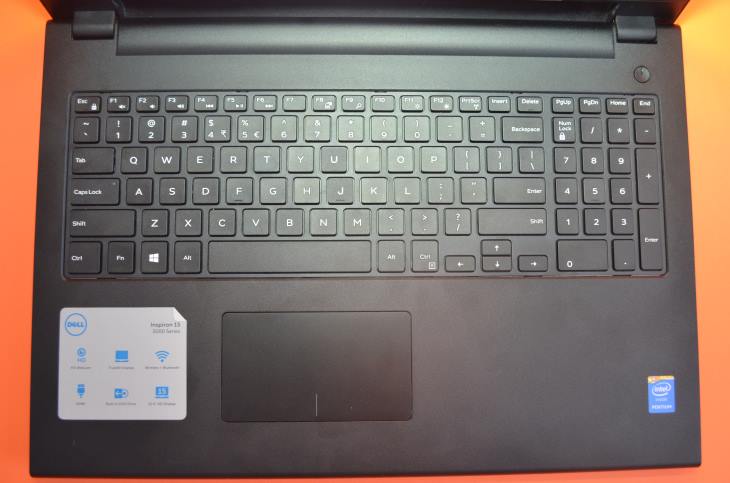
Hi, I’ve a Dell Inspiron 3543 installed High Sierra 10.13.4 which has an i2c trackpad, maybe call exactly is
Buttonless touchpad / Clickpads, I think is it.
I’ve patched my dsdt with the I2C patches relevant to my machine (Broadwell patch get error compile, so I try GPI0 Status patch for SKL+ and windows 8, then 7) Cause with patch windows 10 and 8.1 I get reboot loop.
I’ve also thrown on the latest I2C voodoo kext (2.0.1) and satellite VoodooI2CHID. No success. (I install kext into Clover folder)
ps: A time I saw trackpad showing in System preference like this, after I wakeup may machine from sleep mode
Now it show No trackpad found, after restart machine. But I can using some function like open Force Quit Application with 4finger, Switch recent app with swipe (3 fingers), Toggle Hide/Unhide Dock with swipe to left (4 fingers), Back/Next pages with swipe (3 fingers), Secondary button mouse with touch (3 fingers)
Anyone have any ideas? Please help. Forgive me about English terrible
STRANGER, I DO NOT NOTHING, EVEN PATCH DSDT OR KEXT INJECT, JUST STARTUP MY MACHINE WITHOUT MOUSE EXTERNAL USB, IT'S WORK @@
WHAT'S HAPPENING?
-
Hi all mate! i have a trouble with Esc button on hackintosh 10.13.4. my laptop have a b]Esc[/b] button physical, of course. But i realized it not work correctly on hackintosh: when i want force quit an apps, i try press Comman+Option+Esc but not work, it work when i remap Caps lock key as Esc
Question is: why i can using Esc key physical funtionally as it was? Is that cause OS 10.13.4 High Sierra design for macbook has Touch Bar?
Any one meet this trouble? What's your solution?
Thanks all!
ps: sr my english terrible

 hic
hic


.png.b0a33cdac82117abb816a51fa816eb92.png)


Hackintosh OpenCore Vanilla Guide, Step by Step
in Installation Guides
Posted
I replaced wifi card cause its not supported by hackintosh. Would you give a a advise/ solution for my issue, sir?
Thansk!